
MerchantSpring vs Sellerboard
Sellerboard tracks profit for Amazon sellers, with Walmart and eBay alongside. MerchantSpring is for brands on several channels, Amazon Vendors and agencies. It covers 120+ channels, Vendor Central and every client account, and works in Claude and ChatGPT.

MerchantSpring vs Sellerboard compared
Compare marketplace coverage, MCP, profit, advertising and inventory side by side.


| Feature | MerchantSpring | Sellerboard |
|---|---|---|
Pricing and channels | ||
| Starting price | US$319/month Seller plan, billed annually. | US$15/month Standard plan, billed annually. Up to 3,000 orders a month. |
| Channel coverage | 120+ commerce channels Including Shopify, TikTok Shop, bol.com and Mirakl-powered marketplaces, as well as Amazon, Walmart and eBay. | Amazon, Walmart and eBay |
| Amazon account reporting | Seller Central and Vendor Central Compare Amazon’s wholesale orders with sales to shoppers. | Seller Central Review sales, fees and refunds on Seller Central orders. |
| Shopify reporting | Shopify in the same account Sales and profit beside Amazon and your other channels. | Shopify in the web Summary Dashboard Link your separate sellerboard.io account. |
Marketplace operations and AI | ||
| AI assistants (MCP) | Sales and ad spend by channel and client Compare channels and client accounts, find the products behind a change and check spend against attributed sales. | Profit, ads and stock Compare net profit across two periods and see what changed in ad cost, fees and refunds. |
| Profit and margins | Margin by channel and product See how fees, fulfilment and ad spend affect the margin on a product. | Profit by product and order Break out fees, refunds, ad spend and cost of goods. |
| Advertising | Campaigns across your ad networks Compare spend and attributed sales by campaign or keyword. | Amazon PPC bid management Review keyword bid suggestions or apply them automatically. |
| Listings and the Buy Box | Buy Box win rates and alerts See how often each product wins the Buy Box, and alert your team when a listing is suppressed or the Buy Box is lost. | Listing and Buy Box alerts Get notified when Amazon suppresses a listing or you lose the Buy Box. |
| Inventory and orders | Stock and Amazon Vendor orders Spot low stock and ageing inventory, and follow Amazon purchase orders and Direct Fulfillment orders. | Seller stock planning Track supplier orders and see when to send more stock to FBA. |
Agency tools | ||
| Managing client accounts | Compare clients in one portfolio Spot which account needs a closer look. | Switch between clients Open each client account from one agency profile. |
| Account permissions | Choose the dashboards each client sees | Set access by account, marketplace or product Available on the Enterprise plan. |
| What clients receive | Branded dashboards and reports Schedule emails clients can read without logging in, or share a PDF or live link. | Your agency logo on the dashboard Schedule predefined reports by email or sync them to a spreadsheet. |
Monthly prices in USD. Features vary by plan. Screenshots show example data.
Channel coverage, channel by channel
What each platform reports on, from each company’s own published pages.
| Channel | MerchantSpring | Sellerboard |
|---|---|---|
| Amazon Seller Central | Sales, profit and advertising | Profit, PPC and stock planning |
| Amazon Vendor Central | Sell-in, sell-out and Vendor profit and loss | Not in Sellerboard’s documentation |
| Walmart | Sales, profit and advertising | Profit and stock planning |
| eBay | Sales and profit | Profit, with an Amazon store connected |
| Shopify | Sales and profit, in the same account | Profit, through the separate sellerboard.io |
| TikTok Shop | Sales and profit | Not listed by Sellerboard |
| bol.com | Sales and profit | Not listed by Sellerboard |
| Mirakl-powered marketplaces, such as Best Buy, Decathlon and B&Q | Sales and profit | Not listed by Sellerboard |
| In total | 120+ channels connected | Amazon, Walmart and eBay, plus Shopify through sellerboard.io |
Sellerboard coverage as listed on sellerboard.com and sellerboard.io on 24 November 2026. Profit in MerchantSpring uses the product costs you add.
Where the two platforms differ
Review every channel from one question
Ask Claude for last week across the channels you manage. MerchantSpring MCP pulls the channel list, sales by channel and advertising by channel, then Claude turns it into a weekly review with next steps.
- Compare sales across accounts, channels and periods
- Find the products behind a change in sales
- Compare campaign spend with attributed sales, in Claude, ChatGPT, Cursor and more
Sellerboard’s MCP reads profit, advertising and stock data. Its fullest coverage is Amazon, with selected Walmart and eBay data, and Shopify needs a separate connector.
Explore MerchantSpring MCP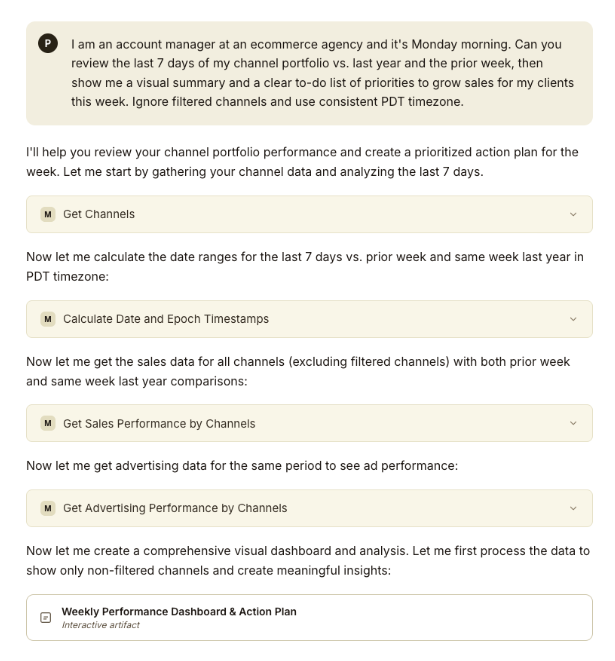
See which accounts need attention
Tag client accounts and channels, then compare them in one portfolio. When one account slips while the others grow, you know where to spend the morning.
- Sales by Tag across every client and channel
- Alerts when a listing is suppressed or the Buy Box is lost, so the client hears it from you first
Sellerboard’s Summary Dashboard compares connected accounts, and agencies switch between client accounts from one agency profile.
Explore marketplace coverage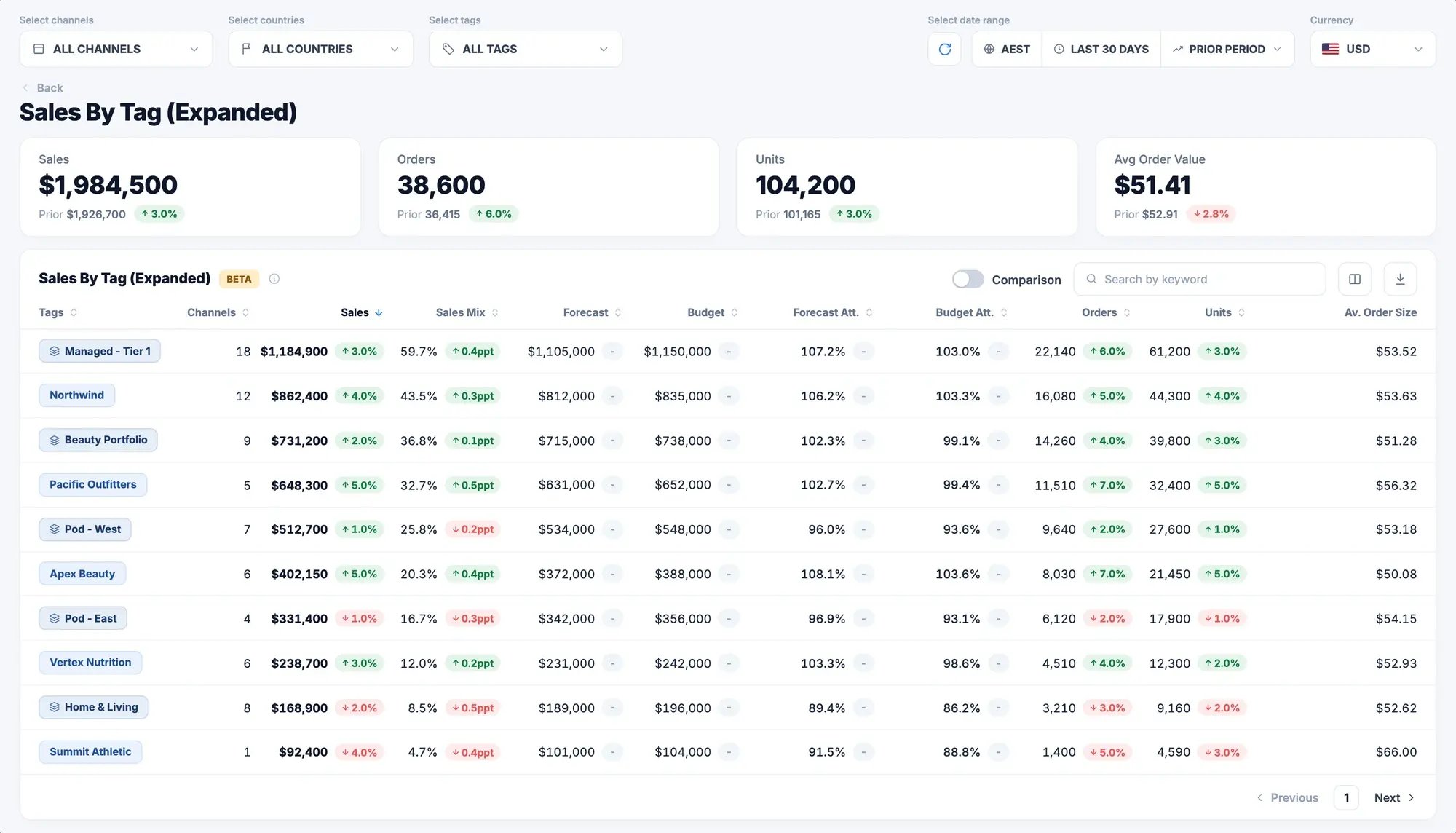
See what Amazon ordered and what shoppers bought
A quiet week of purchase orders doesn’t always mean shoppers bought less. MerchantSpring puts sell-in (what Amazon bought) beside sell-out (what Amazon sold to shoppers), so you can tell a change in Amazon’s buying from a change in demand.
- Vendor profit and loss, down to the product
- Standard purchase orders and Direct Fulfillment orders side by side
- Seller Central reporting alongside, for businesses that sell both ways
Sellerboard’s documentation covers Seller Central accounts, where it shows which products and orders are profitable after costs.
How Vendor sales are measured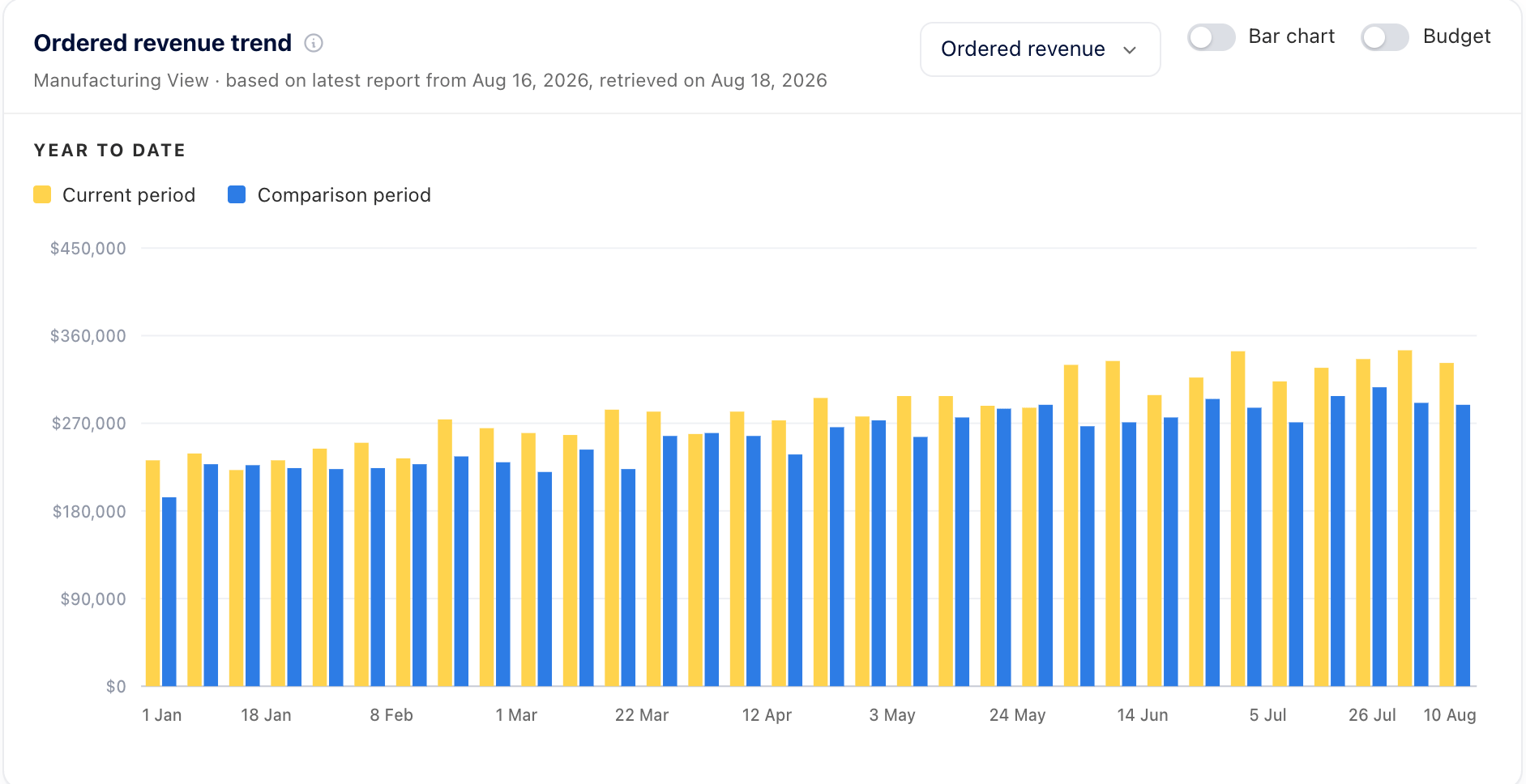
Give every client the report they need
Share selected dashboards with a client without exposing your settings, or schedule email reports they can read without a login. Dashboards and reports can carry your agency’s brand.
- PDFs and live links for the client who wants a file
- Invite links, so a client connects their own Amazon store without creating a login
- Reporting run this way hands back ~4 hours per account manager each week
Sellerboard adds your agency logo to its dashboard and schedules predefined reports by email or to a spreadsheet. Access by account, marketplace or product is on its Enterprise plan.
Explore agency reporting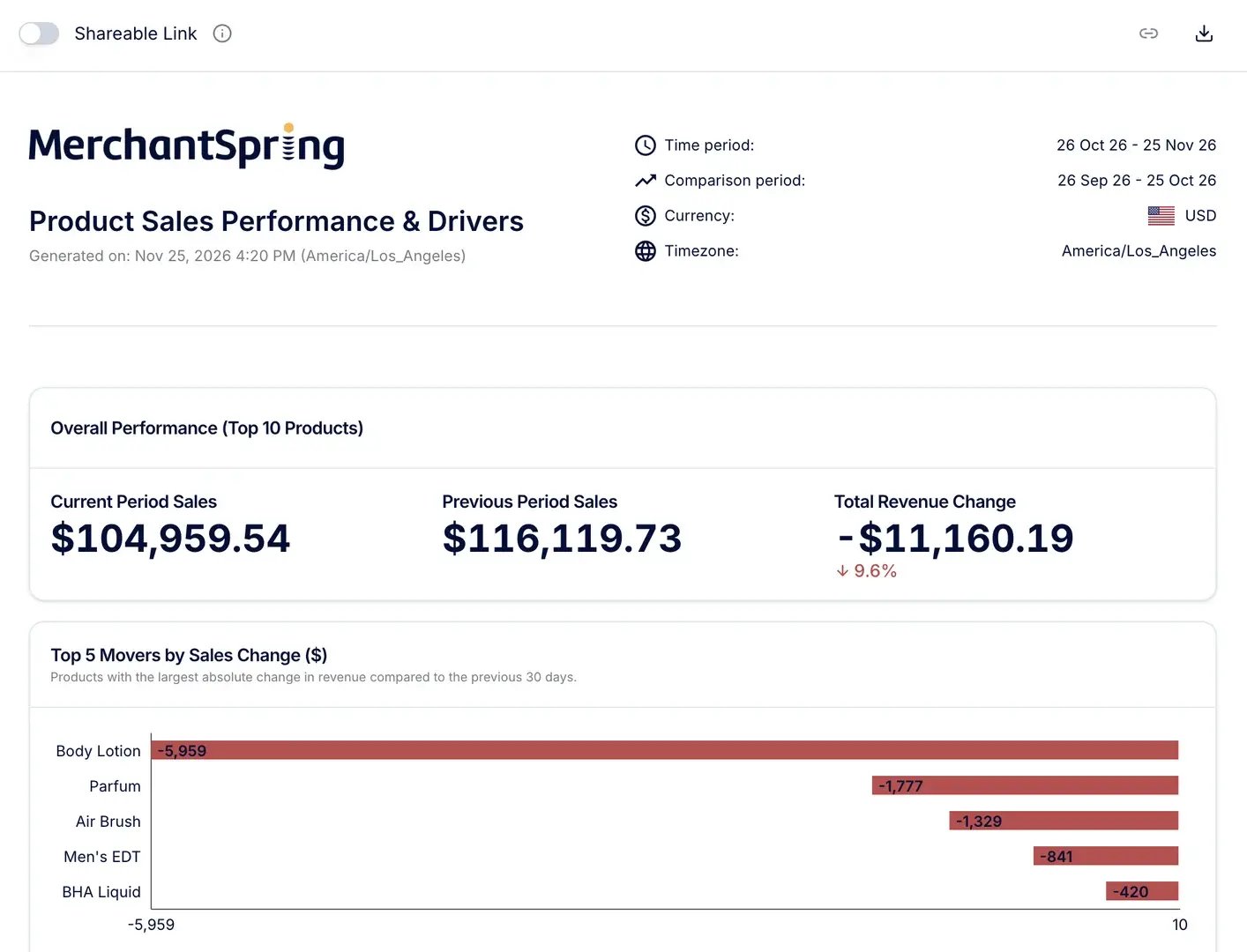
How customers use MerchantSpring
- Brands and agencies
- 35,000+
- Connected channels
- 120+
- Products tracked across stores
- 98m
- Data points every day
- 500m

“With the help of MerchantSpring, our agency has saved hours of time from tedious data entry for our client reporting.”
Denny SmolinskiFounder & CEO

“MerchantSpring turned our reporting from a manual weekly chore into a repeatable insights process. We now spend less time pulling data, and more time actually utilising it.”
VamoaAmazon agency for Seller and Vendor accounts
Read the Vamoa story
“Getting started with MerchantSpring was super smooth, the onboarding was quick, and the team was really supportive.”
Zoe SettonDirector of Operations
Watch testimonialCustomer experiences with MerchantSpring, not comparisons with Sellerboard.