


Your channel, after costs.
See revenue, fees and your costs together to understand what each channel contributes.
Understand marketplace profit by channel and product, then decide what to restock, promote or investigate.
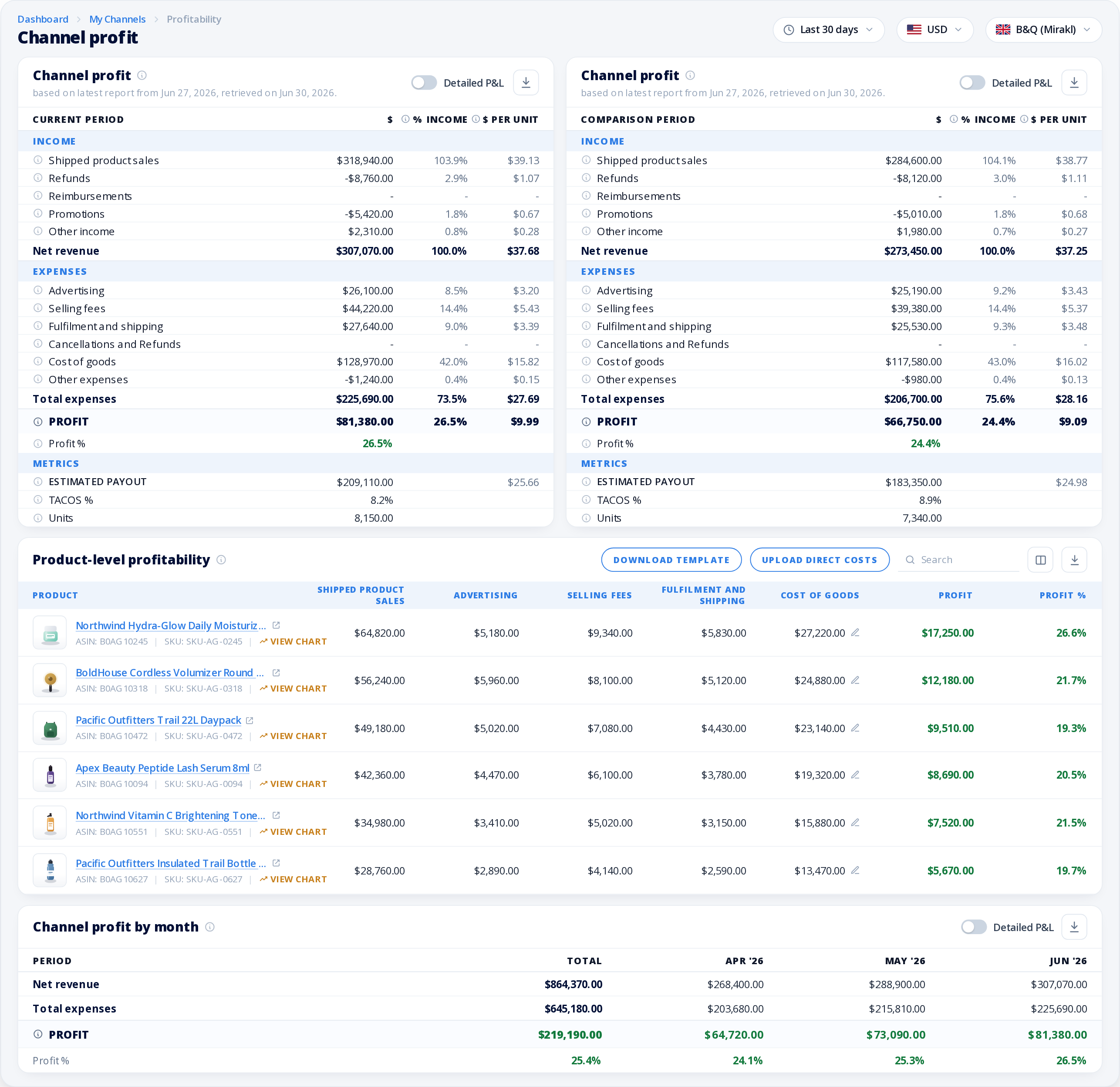
See the channel result.Understand what each channel earns after costs.
Look beyond sales volume.Use product margins to guide your next buying decision.
Bring in your costs.Include product costs and the expenses behind your business.
Explore the channel result, the products behind it and the costs that deserve a closer look.
Swipe or scroll horizontally, or use Previous and Next. With the gallery focused, use the left and right arrow keys, Home or End.
See revenue, fees and your costs together to understand what each channel contributes.
Compare product profit and margin to decide what to restock, promote or investigate.
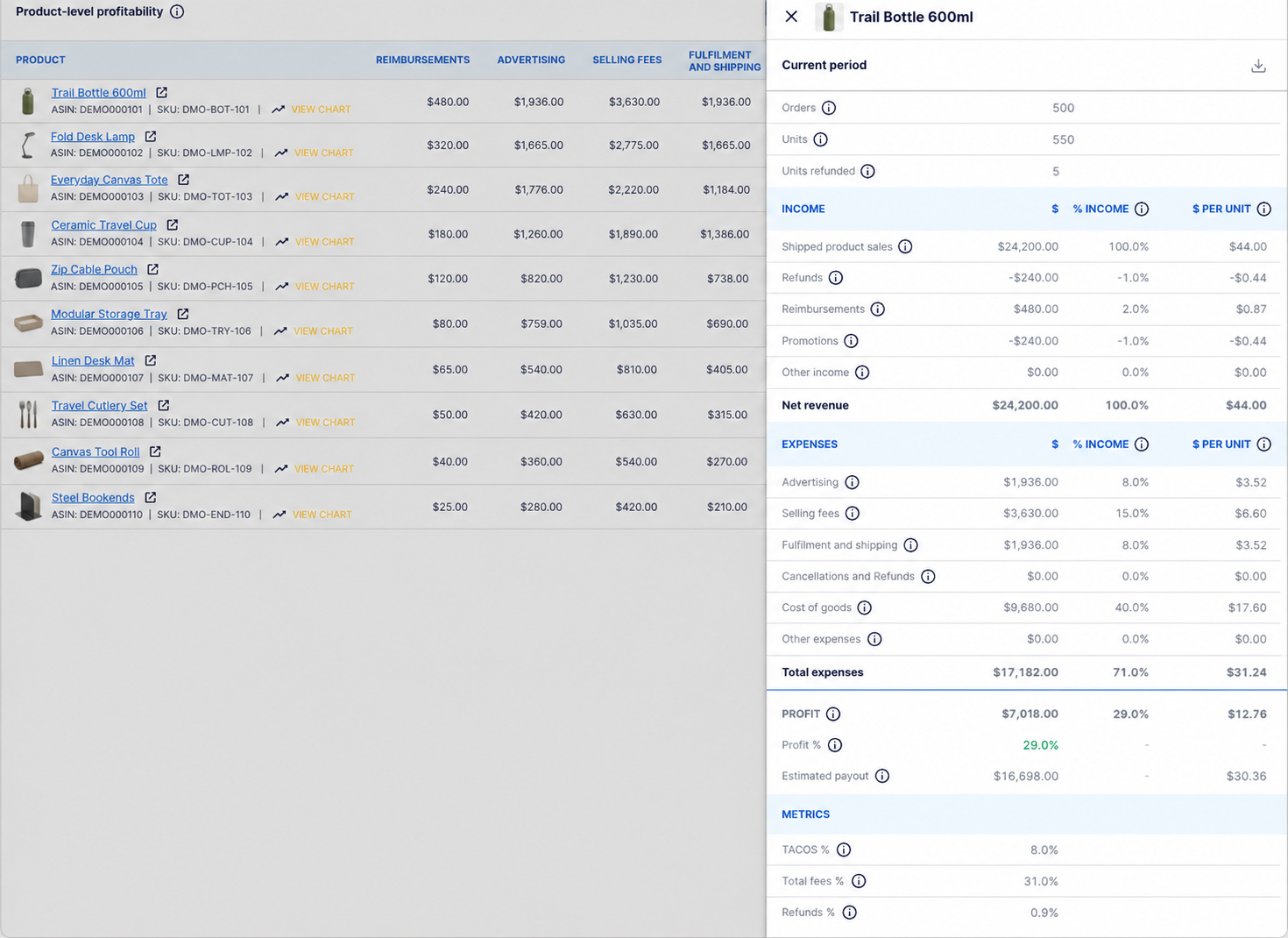
Spot the fees and expenses affecting your margin, from selling costs to advertising and fulfilment.
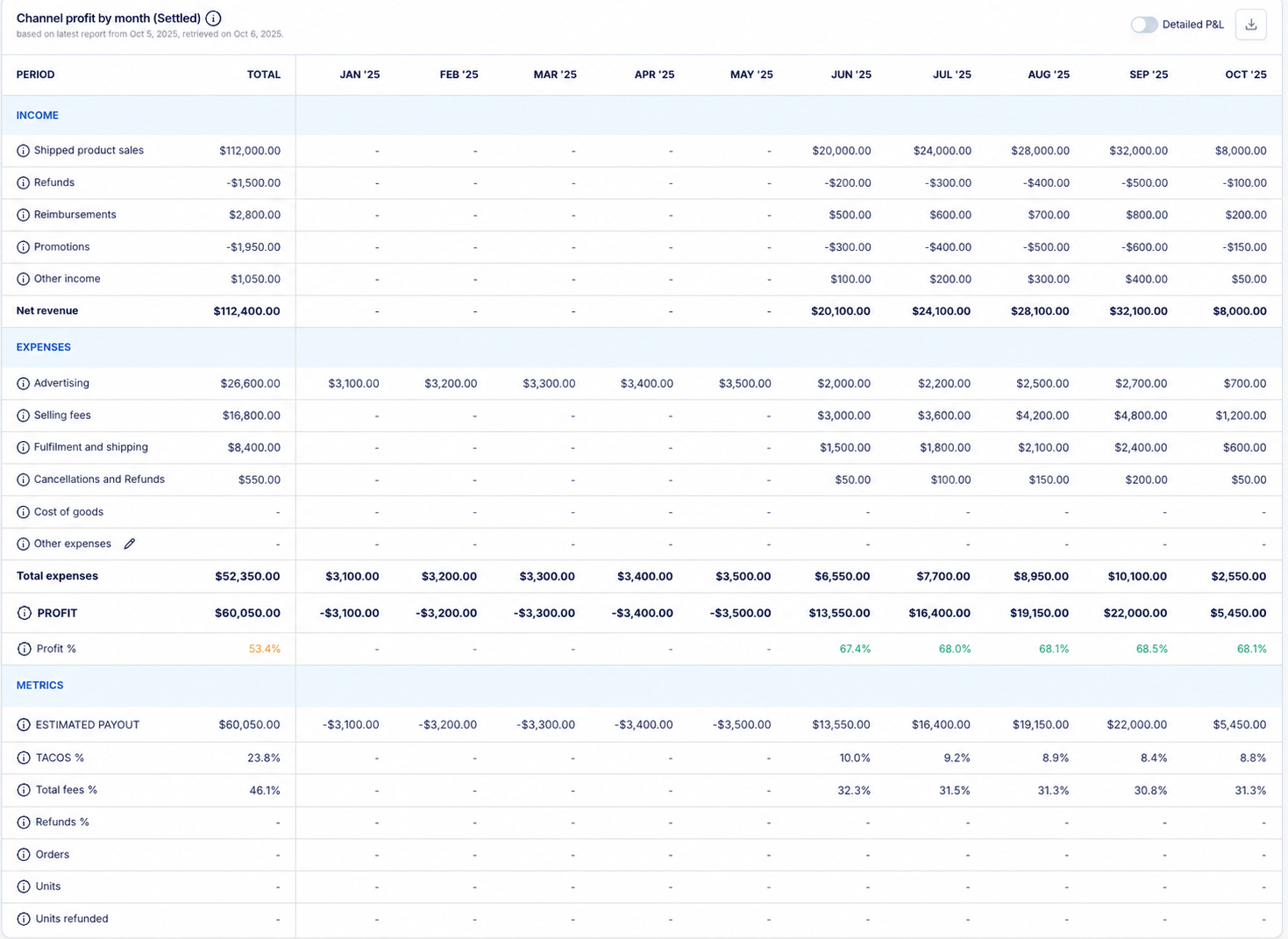
Follow changes in revenue, costs and profit to see where performance is improving or needs attention.
Turn the numbers into decisions about your products, costs and channels.
See how sales, fees and expenses translate into profit for each channel.
Add product costs, shipping and other business expenses for a view that reflects how you operate.
Compare product margins before deciding what to restock, promote or investigate.

Understand Seller Central and Vendor profitability, with reports built around how each business works.

Review channel and product profit with your product costs and other business expenses included.

Bring store revenue, fees and the costs you add into a clearer view of margin.

Explore supported marketplaces including Best Buy, Decathlon and B&Q.

Follow settled sales after fees, creator commissions and product costs.


“With the help of MerchantSpring, our agency has saved hours of time from tedious data entry for our client reporting.”
Denny Smolinski Founder & CEO, beBOLD Digital


