eBay Item
Specifics Editor

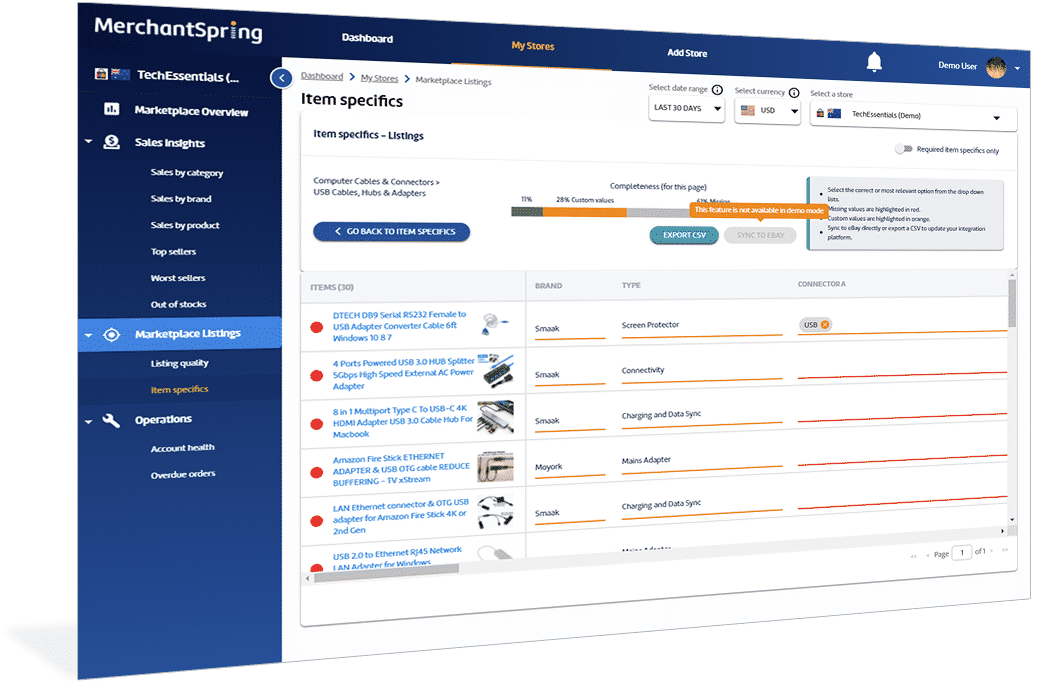
Find missing details, update multiple listings in one grid and send your changes straight to eBay. Spend less time working through listings and more time getting your catalogue ready for buyers.

MerchantSpring eBay item specifics grid editor
  • Find missing details.

    See where item specifics need attention across your categories.

  • Edit multiple listings.

    Work through mandatory and optional fields in one grid.

  • Publish your changes.

    Sync directly to eBay or export to CSV for your catalogue workflow.

Know which listings
need your attention.

Start with a clear picture of completeness across your categories, then focus your editing where it matters.

Find the gaps.

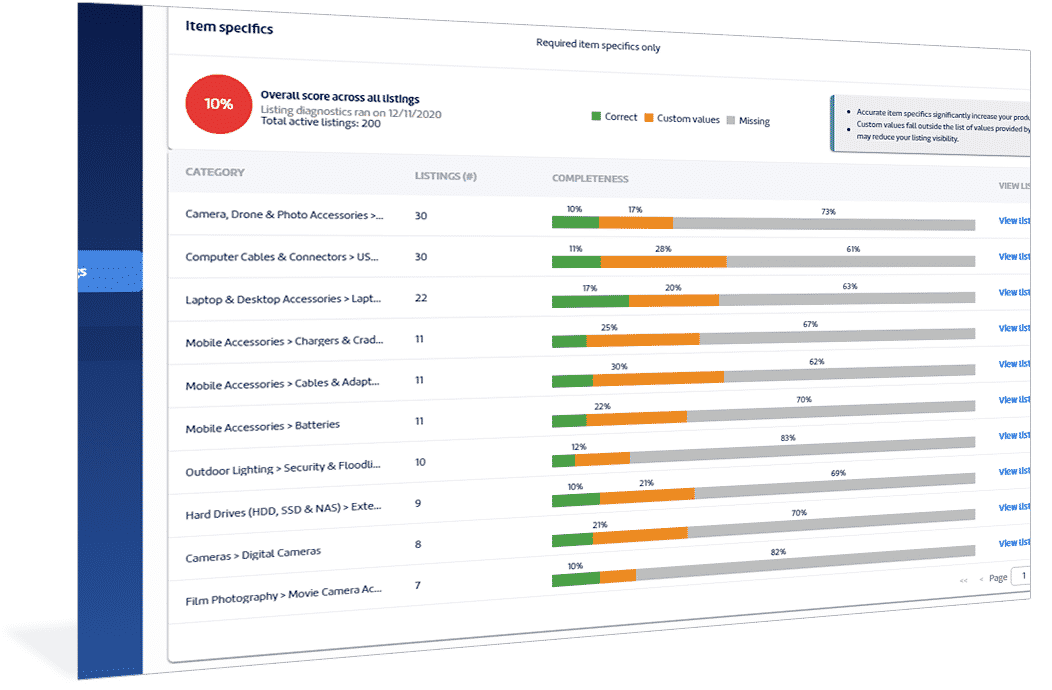
Use the item specifics scorecard to see which categories need work.

Focus your review.

Switch between mandatory and optional fields to work through the details you want to complete.

See your progress.

Completeness indicators show how your listings improve as you work.

MerchantSpring scorecard showing item specifics completeness by eBay category

From missing details
to updated listings.

Choose the right values for your products, then decide how to put your completed work to use.

Edit together, with values from eBay.

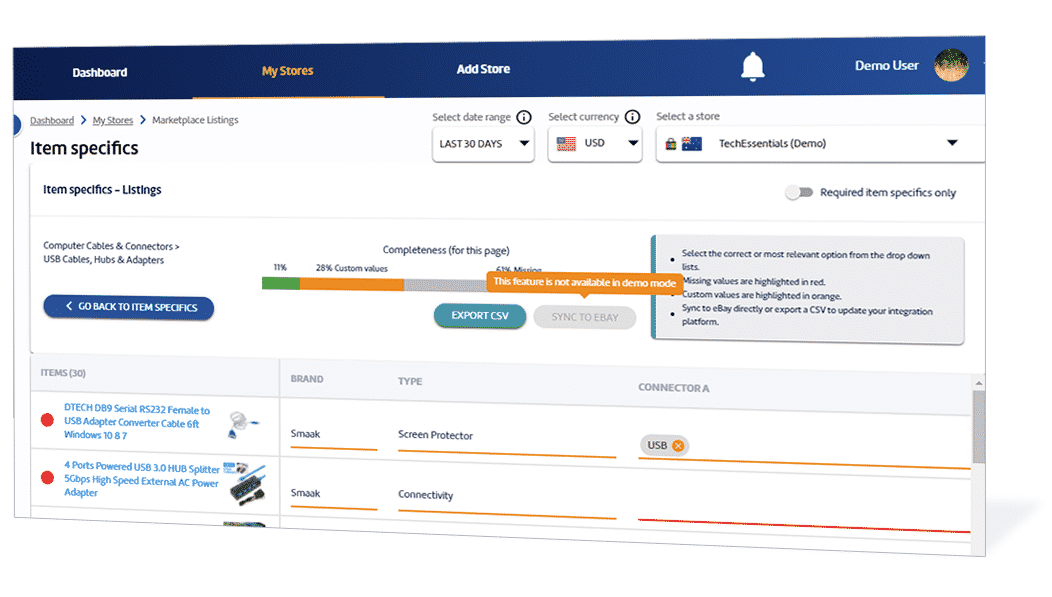
Work through multiple listings in one grid. Use mandatory and optional views, then choose category-specific dropdown values from eBay that accurately describe each product.

eBay item specific fields and dropdown values in MerchantSpring

Send to eBay or export to CSV.

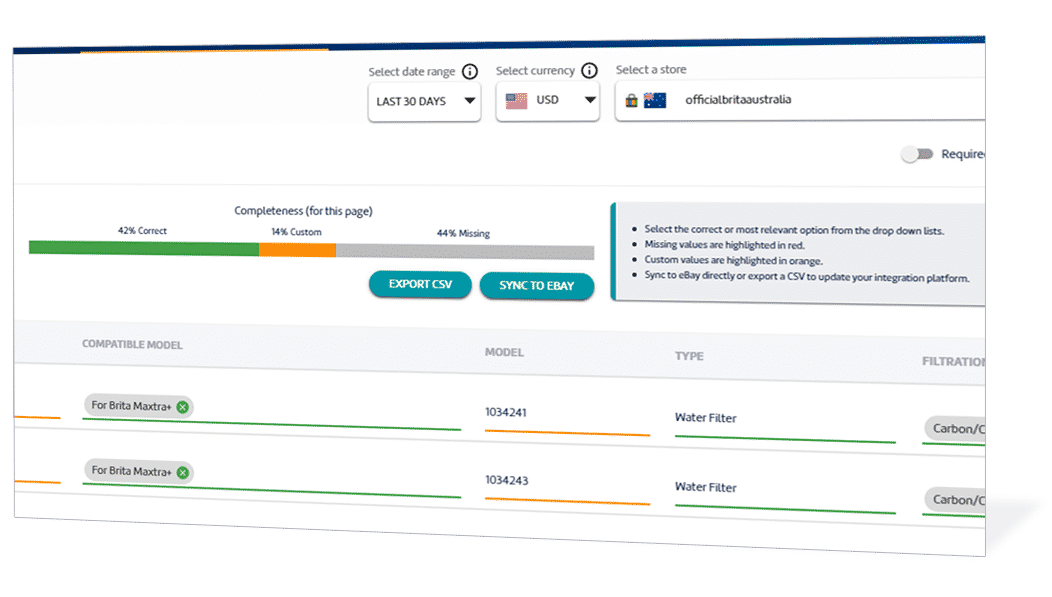
Sync your completed edits directly to your eBay store. Or export them to CSV for use in your ERP, PIM or existing catalogue workflow.

MerchantSpring options for syncing item specifics to eBay or exporting a CSV

Your questions,
answered.

How do I get access to the editor?

Book a demo with our team. We’ll show you the eBay Item Specifics Editor and help you get access.

Can I edit several listings at once?

Yes. The grid editor lets you work on multiple listings together, with controls for viewing mandatory and optional item specifics.

How do I know which listings need work?

The scorecard shows completeness across your categories, helping you choose where to start. Completeness indicators show your progress as you fill in missing details.

Where do the item specific values come from?

The fields and valid values come from eBay. Use the dropdown options relevant to your category and select values that accurately describe your products.

Can I update eBay directly or use my existing catalogue system?

You can sync your edits directly to your eBay store or export them to CSV for use in your ERP, PIM or other catalogue workflow.

Get your eBay catalogue ready for its next update.

See how the scorecard, grid editor and publishing options work together. Book a demo to get access to the eBay Item Specifics Editor.

Book an editor demo