Amazon Search
Query Performance

See where shoppers drop off, how your ASINs compare with the market, and which improvements could be worth the most.
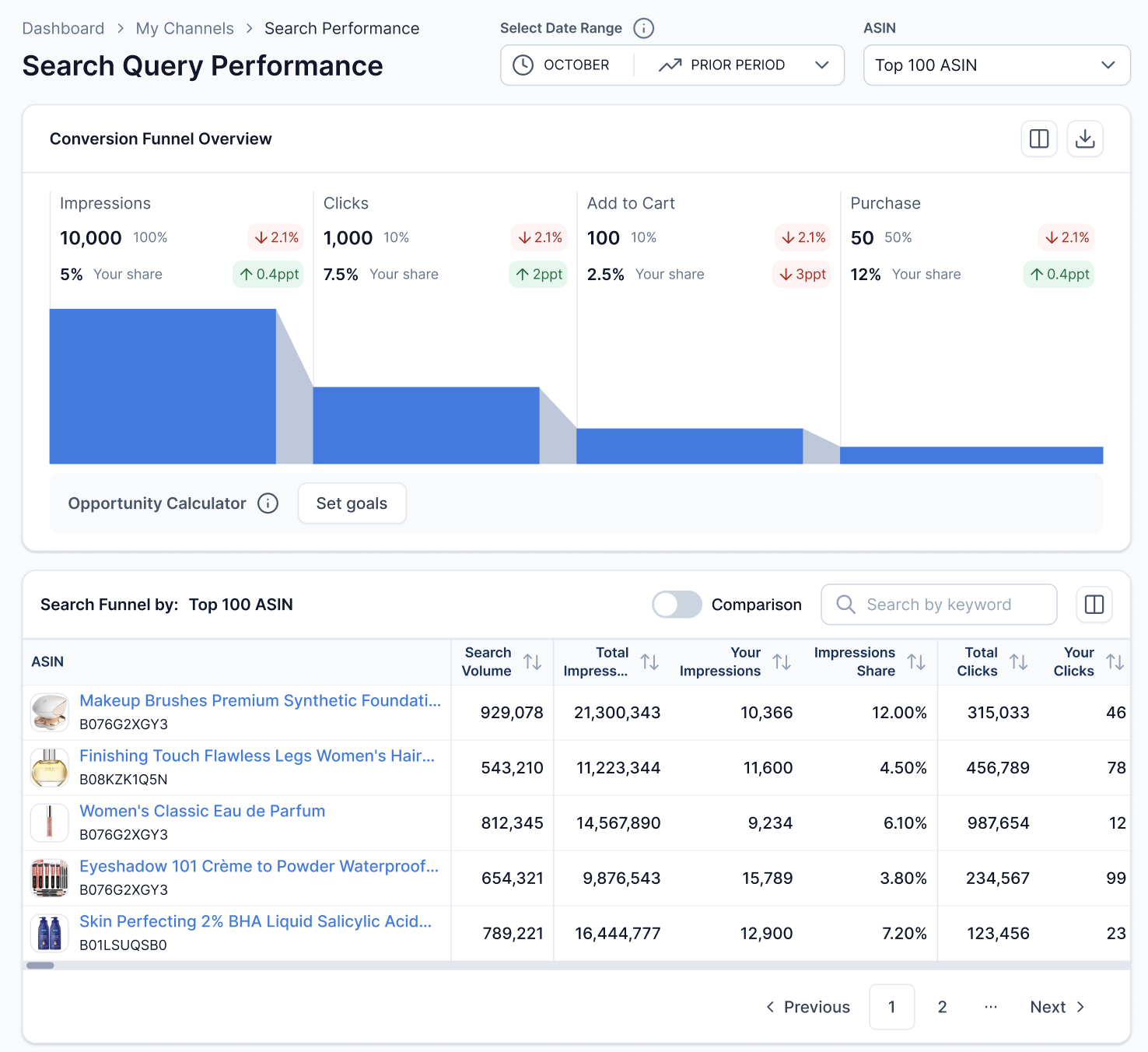
MerchantSpring Search Query Performance overview with funnel and ASIN table

See the whole search journey.Follow impressions, clicks, cart adds and purchases across paid and organic Amazon search, using first-party Brand Analytics data.

Know where you stand.Compare your share and funnel performance with the wider market for the queries you compete on.

Give the next step a value.Set a target and estimate the additional revenue opportunity before choosing where to focus.

Find the stage
worth working on.

Explore the full search funnel, then look at the ASINs and queries behind it. See where you are winning and where there is room to grow.

Give each improvement
a revenue estimate.

A small percentage gap can matter more on one product than a large gap on another. Compare the potential impact before deciding what deserves your team’s time.

Set a target that matters.

Choose a funnel metric, such as impression share or click-through rate, and set the level you want to reach.

Put a revenue estimate beside the gap.

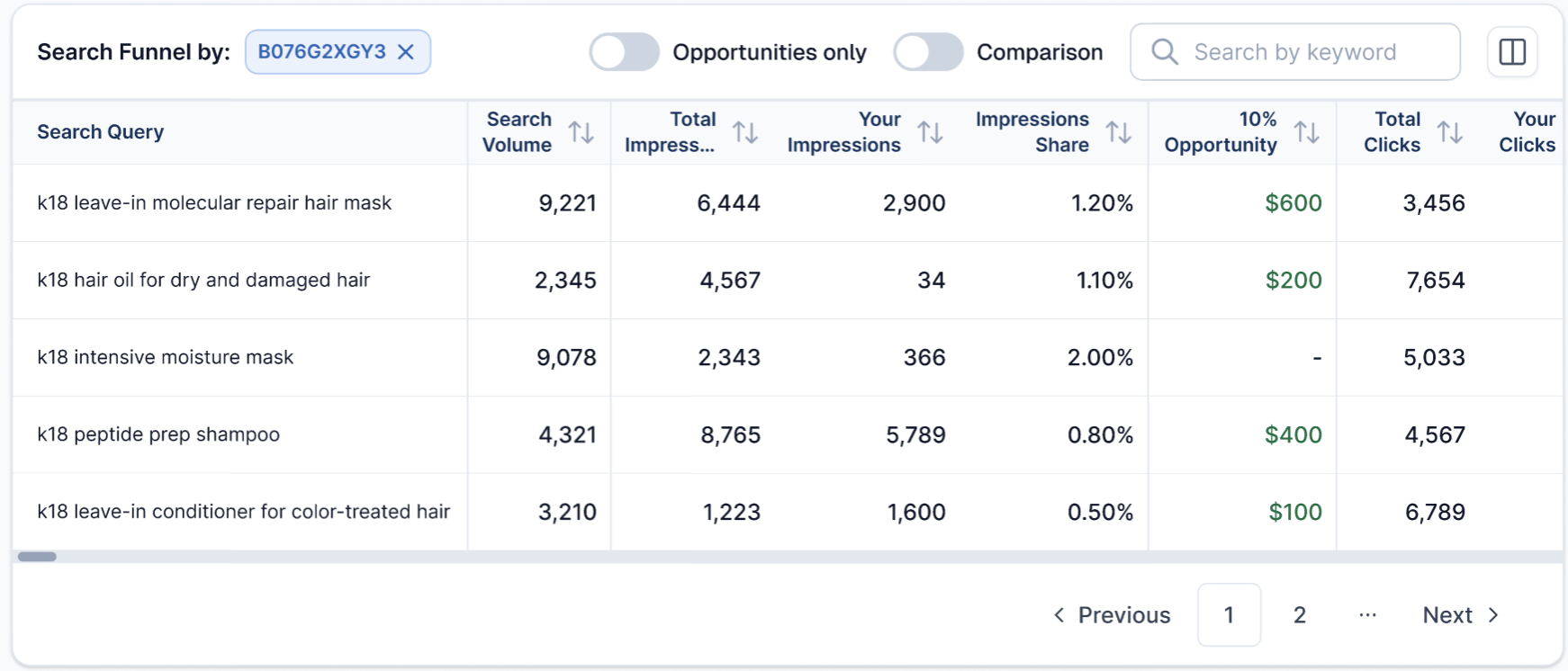
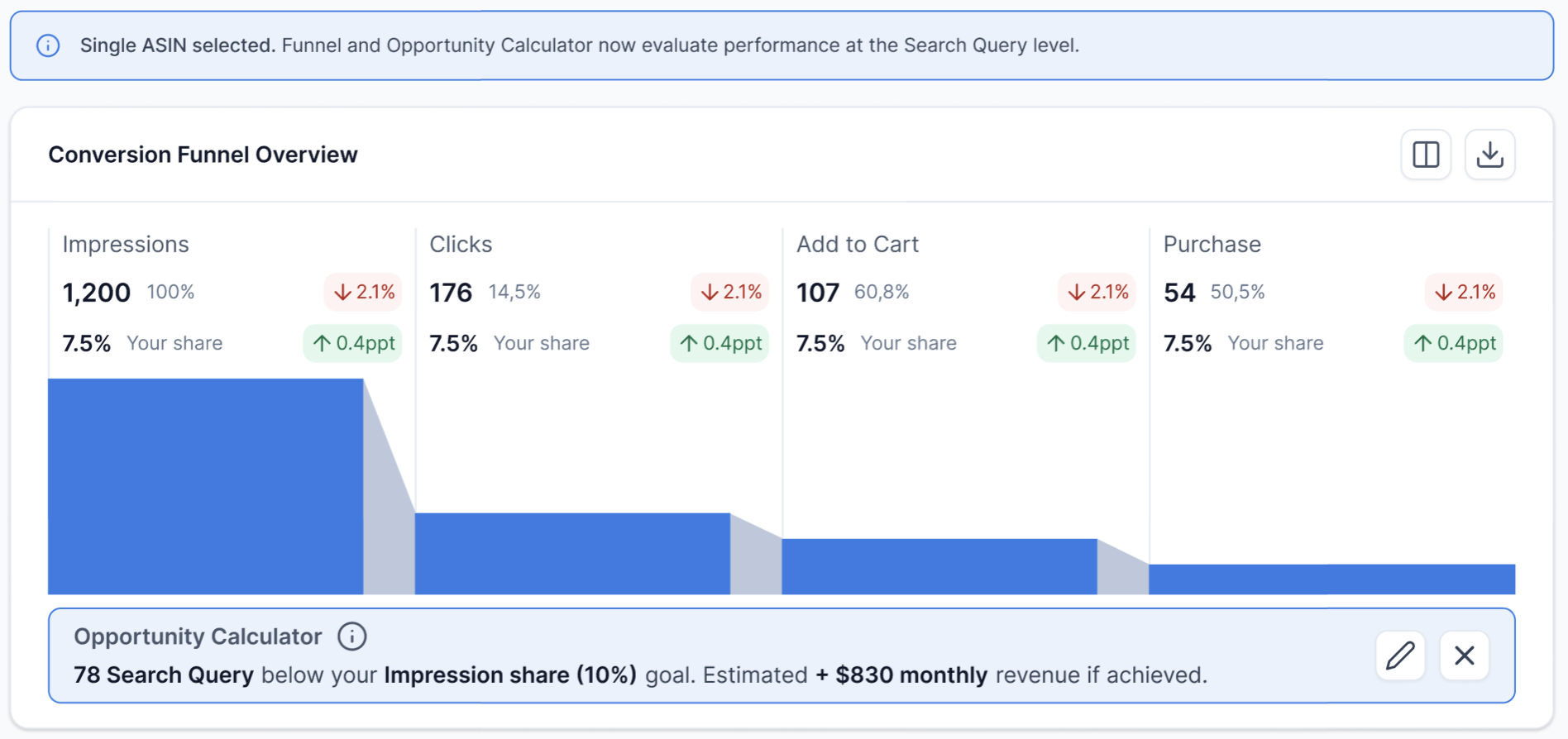
See which ASINs are below your goal and estimate the additional revenue if that goal is achieved. Select a single ASIN to examine the opportunity by search query.

Focus the next round of work.

Prioritise products and queries by their estimated opportunity. Give listing improvements and advertising tests a clearer commercial rationale.
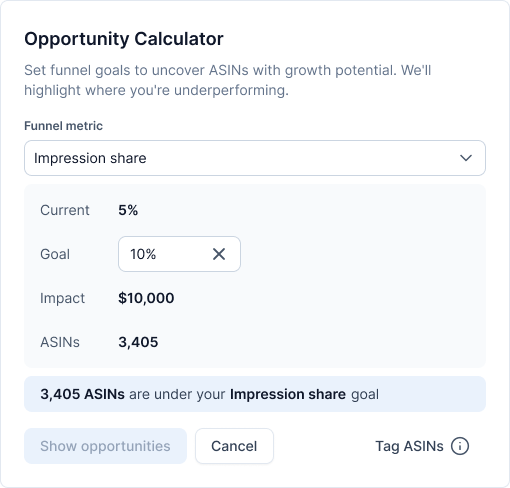
MerchantSpring Opportunity Calculator with impression-share target and estimated revenue impact

From search data
to your next move.

Build visibility where it counts.

Use impression share to find relevant queries that deserve stronger listing coverage or advertising support.

Give shoppers a reason to click.

Review click-through performance to prioritise your main image, title and price tests.

Look beyond the click.

If clicks are strong but purchases lag, examine the product page and offer. Compare search volume, purchases and share before deciding where to act.

Show the progress
behind the sales result.

Sales can fall
while your share
improves.

Give the sales result its search context.

Follow progress month by month.

Compare search demand with your ASINs’ share, click-through and conversion rates. Show when the ASINs you’re reviewing are capturing more of a smaller pool of demand.

Move between clients with less admin.

Review connected brands in one MerchantSpring account. Spend less time switching Seller Central logins and rebuilding SQP reports in spreadsheets.

Bring the evidence into your reports.

Add the SQP funnel, ASIN table or single-ASIN query table to client reports. Use the available monthly history to put changes and recommendations in context.

Your search data,
in the tools you use.

Keep exploring with the Insights Agent.

Ask about ASIN performance and the queries behind it in plain English, inside MerchantSpring.

Explore the Insights Agent

Continue the analysis with MCP.

Use SQP data in compatible AI tools such as Claude or ChatGPT, alongside your other connected MerchantSpring data.

Explore MerchantSpring MCP

Build with the API.

Bring ASIN and search-query metrics into the dashboards, internal tools and reporting workflows your team builds.

Explore the API documentation

Before you
get started.

SQP is included across plans for eligible sellers. Ask us to enable it in your trial account.

Who can use Amazon SQP?

SQP is for eligible Amazon Seller Central accounts with Brand Registry and the required Brand Analytics access. It covers ASINs belonging to registered brands. Vendor Central data and other marketplaces are not supported.

Is SQP included in my plan or trial?

SQP is available across MerchantSpring plans, with the number of included ASINs depending on your plan. Trial accounts need SQP enabled by the team, for up to 20 ASINs. Book a demo and ask us to enable it for your trial.

How many ASINs are included, and can I choose them?

The current allowances are 20 on Seller, 50 on Vendor, 100 on Standard 3P or Standard 1P, 250 on Premier and 500 on Global. These are MerchantSpring plan names; an eligible Seller Central connection is still required. ASINs are selected automatically by total impressions, not manually. Selection can change each month, while previously collected history remains. Compare plans.

What does market share mean in SQP?

Share compares your activity with the total activity Amazon reports for the same search query. Impression, click and purchase share show how much of that query’s activity your products capture. This is search-query share, rather than your share of all Amazon sales.

How often does the data update, and how much history is available?

MerchantSpring SQP uses monthly reporting. Historical coverage depends on your account’s sync entitlement and the data available from Amazon; trial history is limited. It is designed for monthly comparison rather than daily monitoring.

What does the Opportunity Calculator show?

Set a funnel-performance target to estimate the additional revenue potential and identify ASINs below that goal. Use the estimate to compare opportunities and prioritise tests. The calculation needs purchase history and reflects the assumptions behind the target.

Can I include SQP in client reports?

Yes. MerchantSpring’s reporting module includes an SQP funnel chart, a table across ASINs and a single-ASIN search-query table. Add the relevant views to your reporting workflow.

Can I use SQP through the Insights Agent, MCP or API?

Yes. SQP ASIN and search-query data is available through the Insights Agent, MCP and API. Access follows the data and permissions available to your account and connection. Calculator goal scenarios are shown in the report; they are not part of the data returned through MCP or API.

Which Amazon marketplaces support SQP?

Coverage follows Amazon’s Brand Analytics API support and the eligibility of your seller account. Tell us which Amazon marketplaces you manage when booking a demo, and we’ll confirm the connections you need.

Find your next
search opportunity.

Book a demo to explore the funnel, compare your performance with the market and prioritise the next improvement. Trying MerchantSpring? Ask us to enable SQP in your trial.

Book a demo