


.png?width=2816&height=1290&name=RM%201%20-%20Marketing%20Overview-selection%20(1).png&hsLang=en)
See advertising in the sales picture.
Compare attributed ad sales, spend and ACoS, then use TACoS and paid-sales share to put the result in context.
Review advertising performance across channels without rebuilding reports in spreadsheets. Drill into campaigns, ad groups and keywords, then see spend alongside sales and profit.
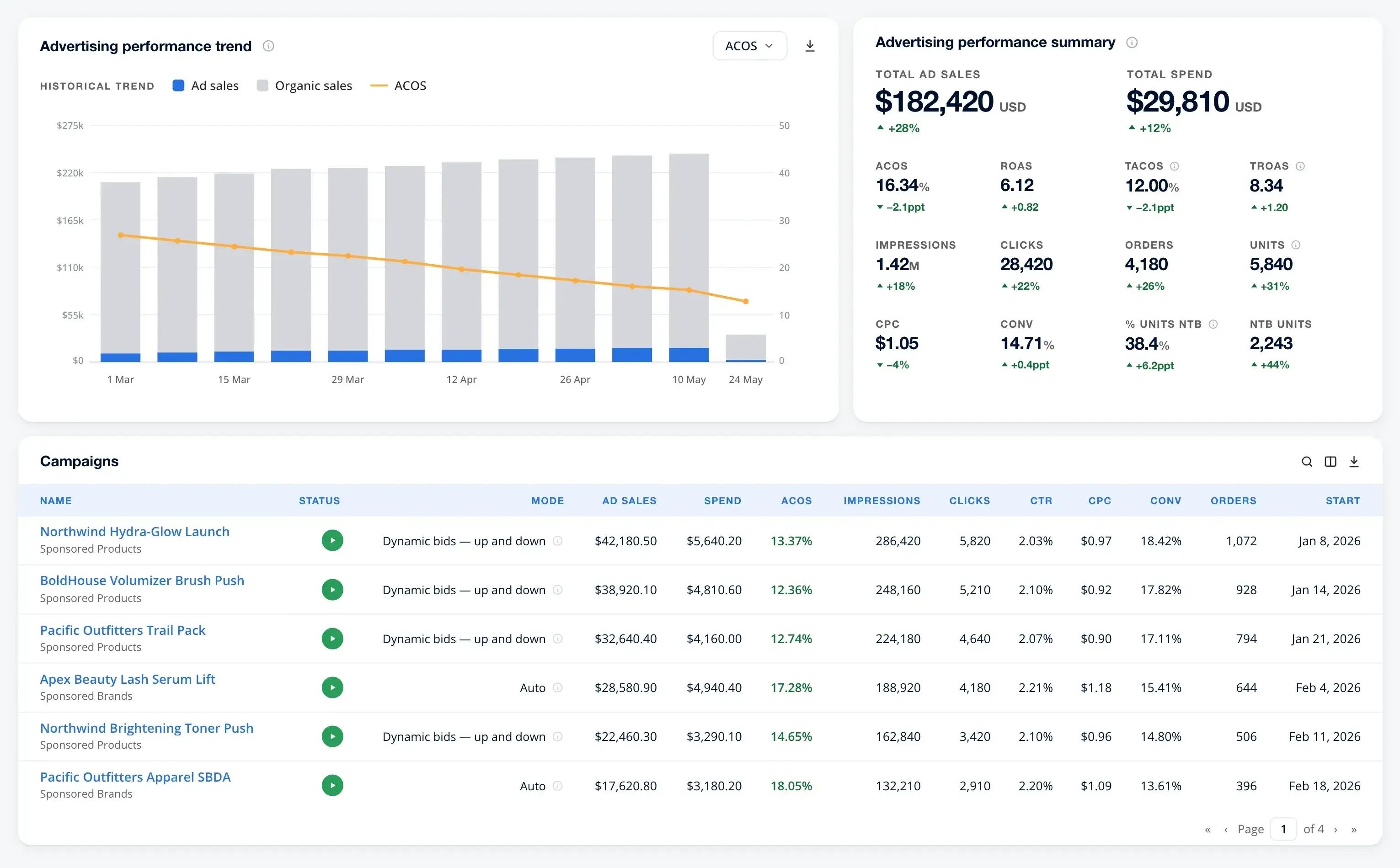
Spend less time assembling reports.Review campaigns, ad groups and keywords together before your next client or team update.
See more than ROAS.Review ACoS and TACoS alongside your sales trends.
Put spend in context.Explore advertising costs alongside fees and your product costs.
Move from advertising trends into the ad groups and keywords behind the numbers, so your next review starts with a clearer picture.
Swipe or scroll horizontally, or use Previous and Next. With the gallery focused, use the left and right arrow keys, Home or End. Select a report image to open it at full size in a new tab.
Compare attributed ad sales, spend and ACoS, then use TACoS and paid-sales share to put the result in context.

Rank keywords by spend or ACoS, with campaign, ad group and match type alongside. Compare click-through rate and cost per click to focus your review.

Rank ad groups by ACoS across campaigns. Compare spend, conversion and orders side by side without opening each campaign separately.
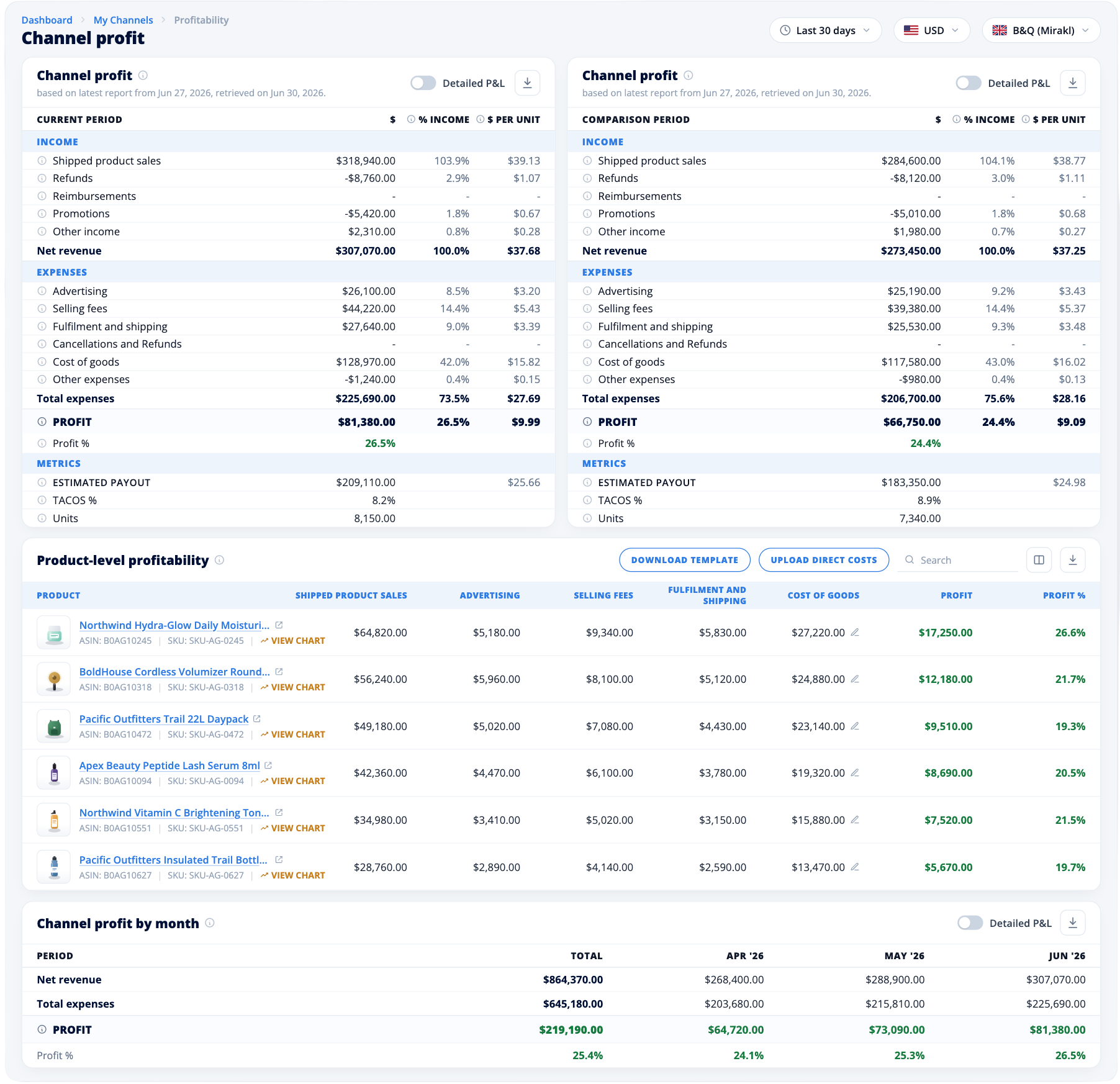
Two products can deliver similar ROAS but leave very different margins after fees, shipping and product costs.
Use custom campaign groups to bring brand, defensive or launch campaigns together. Follow daily trends, then investigate the campaigns and products behind a change.
Read ACoS and ROAS alongside total sales and TACoS to understand how advertising costs relate to the wider business.
See advertising costs alongside fees, shipping and cost of goods in channel and product profitability reports. Compare product margins to guide your next stock or promotion decision.
Compare marketplace, search and social advertising using a consistent set of metrics, from spend and clicks to ACoS.







Also connect bol.com advertising and Amazon DSP.
Explore supported channels
“I definitely recommend MerchantSpring to any agency or business if they are looking to simplify reporting…”
Facundo BaconeAdvertising Team Leader, Snowball Partners


