


Insights
Agent
Ask about your marketplace performance in plain English. Get charts, written analysis and reports you can share, right inside MerchantSpring.
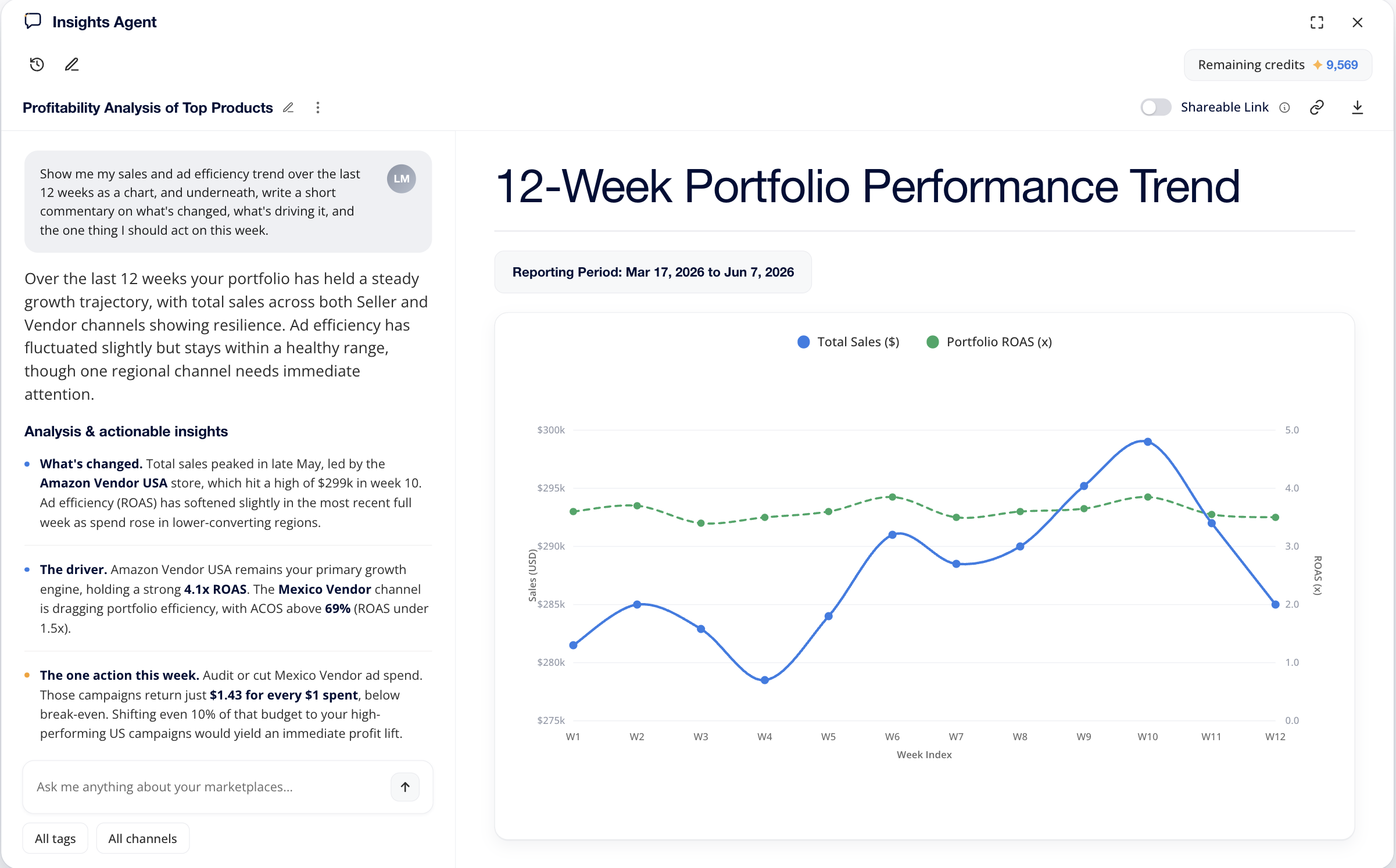
Start with your question.Use the data already connected to MerchantSpring, without preparing a fresh spreadsheet.
See the movement behind the number.Explore changes in sales, advertising and profit with charts and written analysis.
Take the answer into the meeting.Download a PDF or share a branded report link with your client or team.
Follow the question.
Keep the context.
Move between the portfolio and the detail.
Compare the accounts you manage, then narrow the question to a channel, tag or date range. Bring the relevant marketplace context into the same conversation.
Follow up on what changed.
Explore the products or campaigns contributing to a movement, or investigate which ASINs lost Buy Box share. Ask for a comparison, chart or more focused explanation as the review develops.
Pick up where you left off.
Rename conversations and return to your personal chat history. Expand the agent to full screen when a detailed table or visual needs more room.
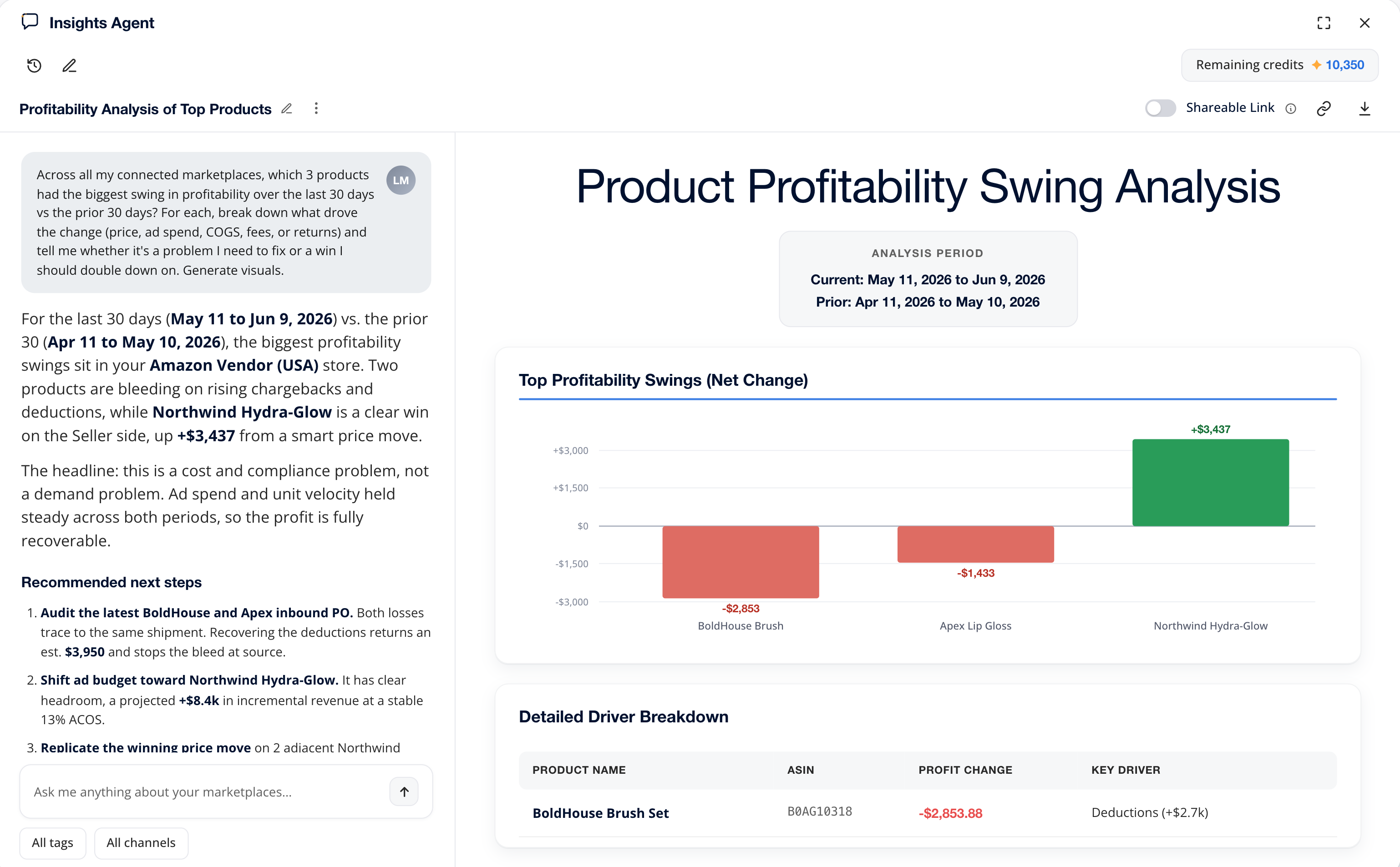
An answer you can
put in front of a client.
The value of an analysis is what happens next. Carry the result into your client or team review without rebuilding it in a slide deck.
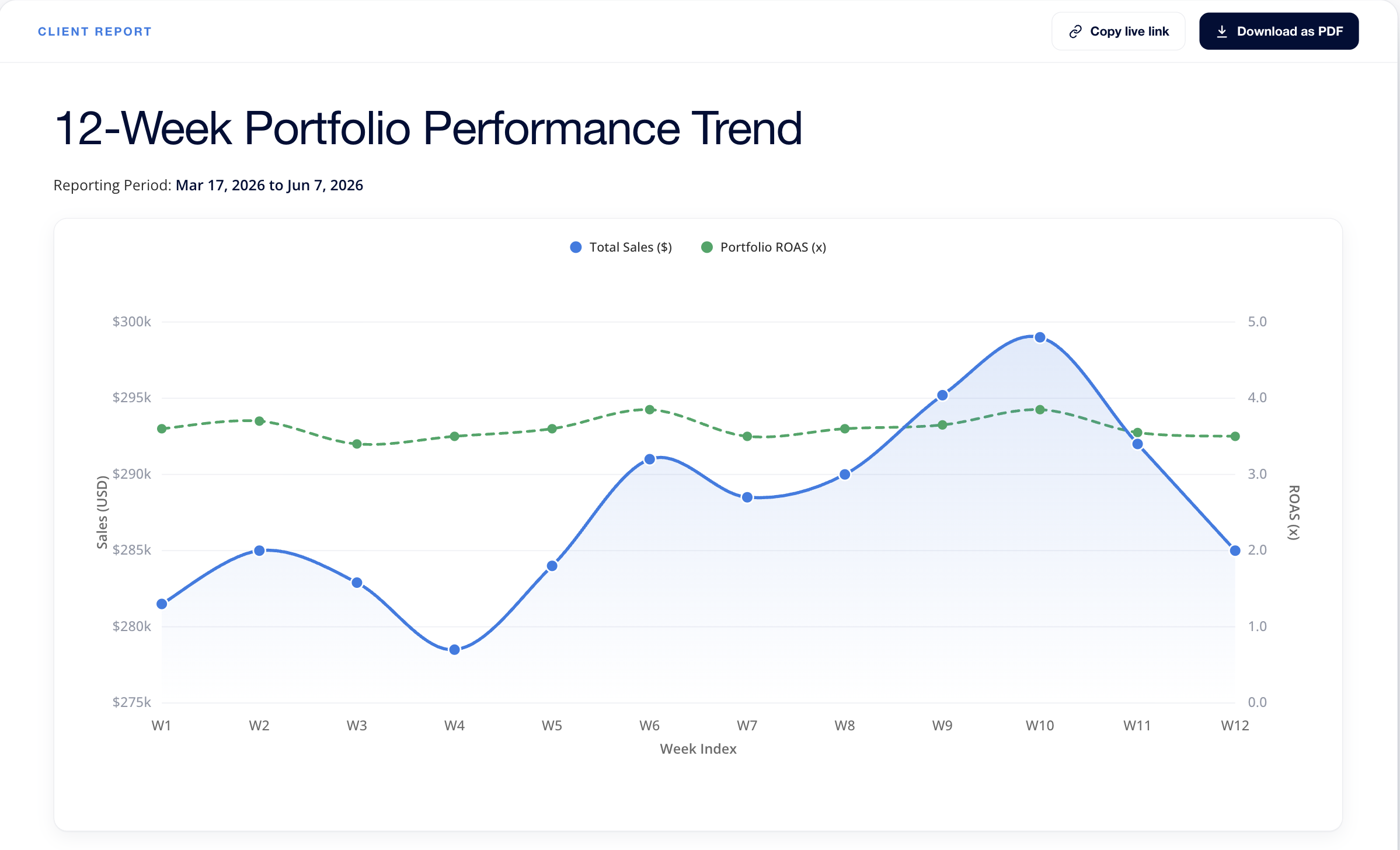
Give the discussion something concrete.
Bring the written analysis and visual into a downloadable PDF, or switch on a shareable report link. Keep the evidence alongside the explanation.
Make the shared report feel like yours.
Public report boards use your configured logo, theme and chart colours. Your custom domain carries through when one is set up.
Bring a consistent approach to each account.
Use the same review question with a different client, channel or date range. Spend the conversation on what the findings mean for that business.
Your marketplace context,
already connected.
MerchantSpring connects to 120+ marketplace and ecommerce channels. Ask about the data available in your connected accounts, from Amazon Seller and Vendor to your wider portfolio.





The same data behind your dashboards.
Start with your connected account data and explore it in conversation. Your question sets the scope of the analysis.
Access follows your permissions.
Analysis starts when you ask. Your own chat history stays private to you; you choose which reports to share.
Your data is not used to train AI models.
MerchantSpring’s AI features use provider terms that exclude customer data from model training.
Read about data security


